
Compare creator routes, check the requirements, and take your first step with official Roblox tools.
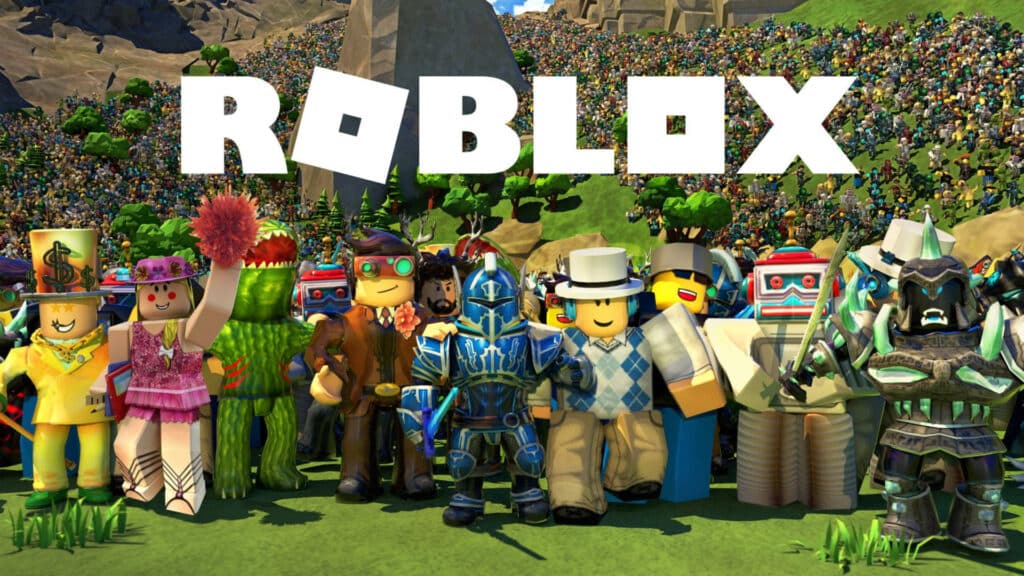
Start with what you want to create, not a promised Robux total. Roblox supports several creator monetization options, but they differ in tools, eligibility, costs, and the work involved. This guide helps you compare them and find the official instructions for your next step.
Reading this page, watching an advertisement, or installing Roblox does not award Robux. Earnings are a possible result of eligible creator activity and player demand, not a guaranteed outcome of completing a checklist.
Step 1: Choose a Small Project
For an experience, define one activity a player can understand quickly: a short challenge, a simple exploration area, or a small social space. Focus on making that activity work before adding a shop or a large map.
For an avatar-item project, first identify the item category you want to learn about. Read its publishing and selling requirements before investing in tools or preparing a catalogue. Different categories can have different rules.
In either case, make original work and avoid assuming that an existing popular project guarantees demand for a similar one. Your first milestone should be something you can build, test, and improve—not a projected payout.
Step 2: Check Your Tools and Account Requirements
Roblox Studio is a free development application for Windows and Mac. Review its current system requirements on the official setup page before installing it. The Roblox app on Android or iOS is primarily for accessing experiences; it is not the desktop Studio application.
Access to a tool does not automatically qualify an account for every publishing or monetization feature. Check the official requirements for your activity, including account conditions and any applicable fees. Use current documentation rather than relying on an old video or an unverified social post.
If you are under the age required for a feature, do not misrepresent your age or use someone else’s identity to bypass the requirement. A parent or guardian can help you understand the account and purchase settings that apply to you.
Check official Roblox Studio requirements
Step 3: Understand the Four Creator Options
Passes: A One-Time Purchase for a Defined Benefit
A pass can give players access to a specific benefit inside an experience, such as an optional area or a permanent feature. The benefit should be described accurately and implemented so that purchasers receive what they paid for.
Roblox’s documentation explains how to create and sell passes for a published, accessible experience. Review those instructions and test your implementation. A pass does not produce earnings merely because it exists; players must choose to buy it.
Read the official pass instructions
Developer Products: Purchases That Can Be Repeated
Developer products suit items or benefits that players may purchase more than once, rather than a single permanent entitlement. They require appropriate purchase processing and reliable delivery within the experience.
Choose a product only when it fits the game. Make its purpose and price clear, and avoid misleading urgency or promising benefits you have not implemented. Follow the official developer documentation when handling transactions rather than copying an unknown script.
Paid Private Servers: A Separate Space for Players
Some experiences benefit from private sessions for friends or groups. Paid private servers can be a monetization option where the feature is available and properly configured. Players need a reason to prefer a private session over normal access.
Consider whether this fits your project before enabling it. A collaborative activity may benefit from a private space; another type of experience may not. Availability of a monetization feature is not evidence that it will sell.
Avatar Items: Design With the Requirements in Mind
Eligible creators can sell avatar items through Roblox’s Marketplace. Review the requirements for the item type, including publishing conditions, applicable fees, content rules, and how earnings are shared.
Do not assume that creating an image means it can immediately be sold as any type of avatar item. Prepare original assets, follow the relevant technical specification, and understand the review process. Sales depend on demand and are not guaranteed.
Compare Roblox’s official monetization options
Step 4: Build, Test, and Describe the Offer Clearly
Before asking players to pay for anything, test the experience and its paid features. Check whether the benefit is understandable, whether purchases are handled correctly, and whether the free experience remains useful and enjoyable.
Invite feedback without promising a reward you cannot deliver. Fix confusing instructions, broken features, and technical problems first. A more detailed shop description cannot compensate for a feature that fails after purchase.
Keep records of the changes you make so you can understand feedback. If players do not use a feature, investigate whether it is hard to find, poorly explained, or simply not useful. Do not assume that the solution is a bigger earnings claim.
Step 5: Review Results Without Assuming a Payout
Once a project is available, look at actual engagement and transactions. Some projects earn nothing, and results can change over time. Avoid borrowing money or spending beyond what you can afford based on an expected Robux balance.
Robux purchases, creator earnings, and cash payouts are distinct. Developer Exchange is a separate program for eligible earned Robux with additional requirements. It does not turn purchased Robux into guaranteed profit, and it should not be presented as a beginner reward.
Prefer to Play? Use the Official Roblox App
You can explore Roblox without pursuing a creator project. Use the official website or app-store listings linked below. These are gameplay options, not an offer to receive Robux for installing the app.
Visit Roblox · Roblox on Google Play · Roblox on the App Store
Protect Your Account
Do not enter Roblox passwords, verification codes, or account cookies on this website or on third-party reward pages. Use official account settings and appropriate parental controls. Settings can reduce certain risks but do not guarantee that every interaction or experience is safe.
For an overview of legitimate Robux options, consult Roblox’s official support guide. Treat offers to generate or instantly add currency through an outside website as a warning sign.
Your Next Step: Explore the Official Creator Resources
Choose one route, read its requirements, and decide on a manageable first project. Use Roblox’s own documentation to check details as you progress. The value of the next step is learning what you can create—not a promise that your account balance will increase today.
Battle Rampages is an independent publisher and is not affiliated with Roblox. We do not award Robux, verify Roblox accounts, or guarantee creator earnings. Platform requirements and availability can change.